
Select the model you want to generate your image with.
Open Eyes in Photo Online Free with Bylo.AI
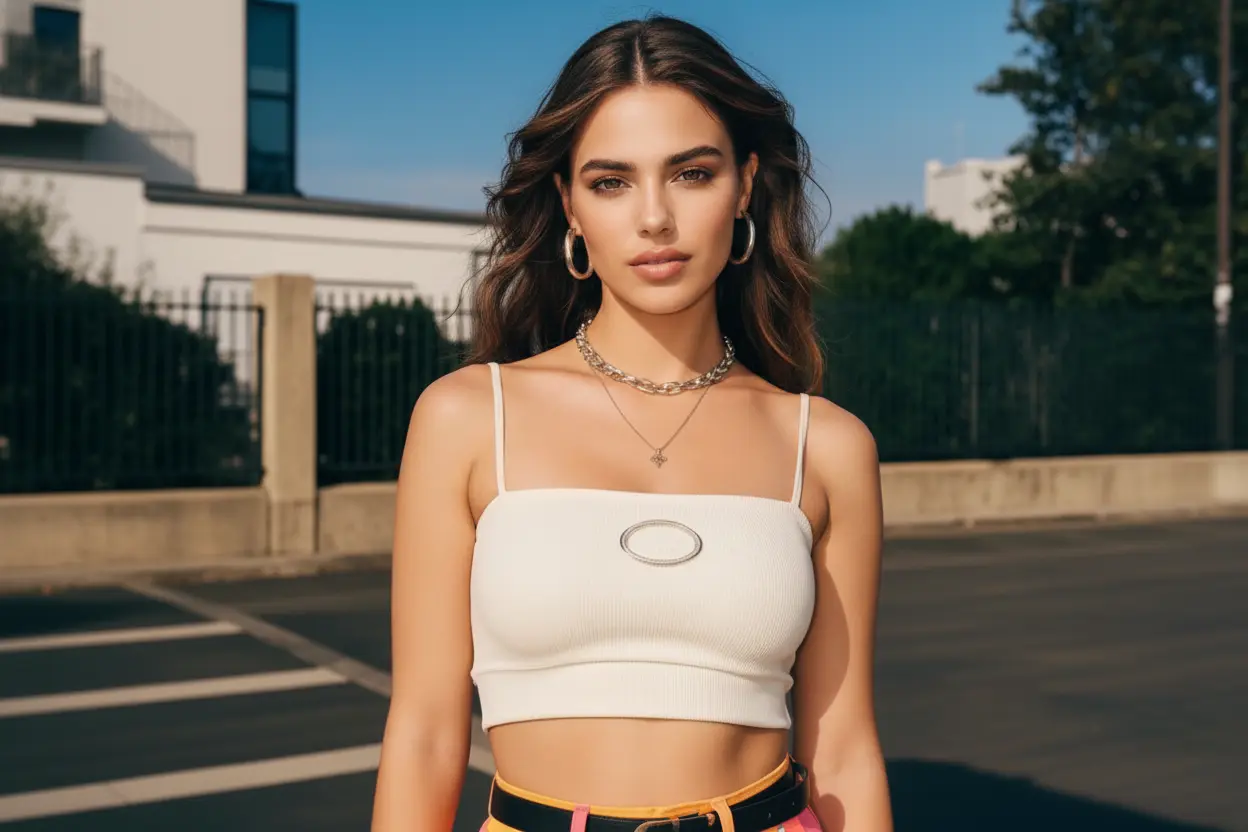
Fix closed or blinking eyes instantly and restore natural, expressive looks in any photo.
Your Generated Images
Key Features Of Bylo.AI's Open Eyes in Photo Effect
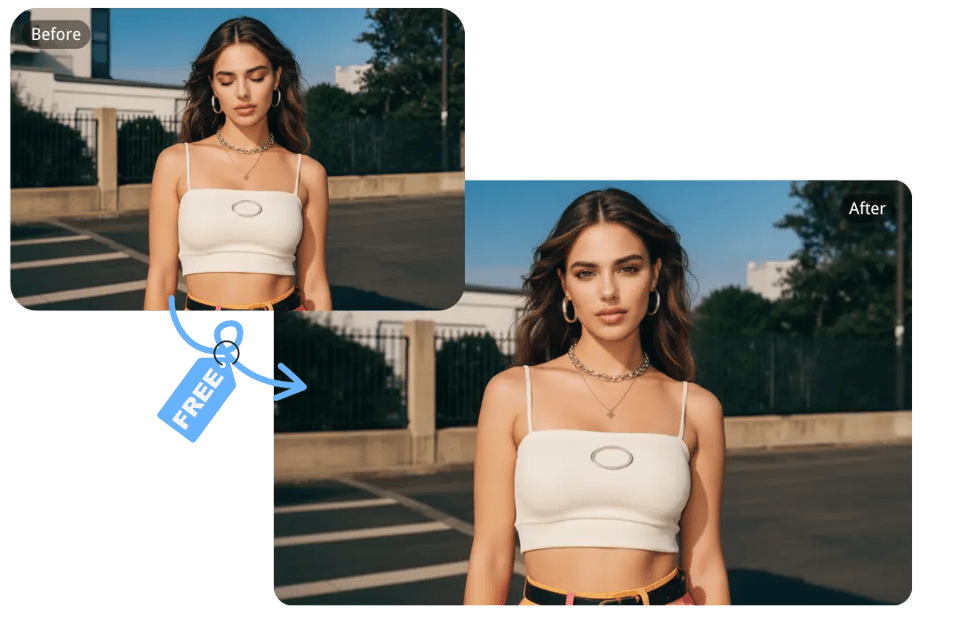
Open Eyes in Photo Online Free with a Simple, No-Photoshop Workflow
Bylo.ai removes the need for complex editing tools. Upload your photo, and our AI automatically analyzes facial structure and lighting to open closed eyes naturally. The entire process is simple, fast, and accessible to any user—no editing skills required.
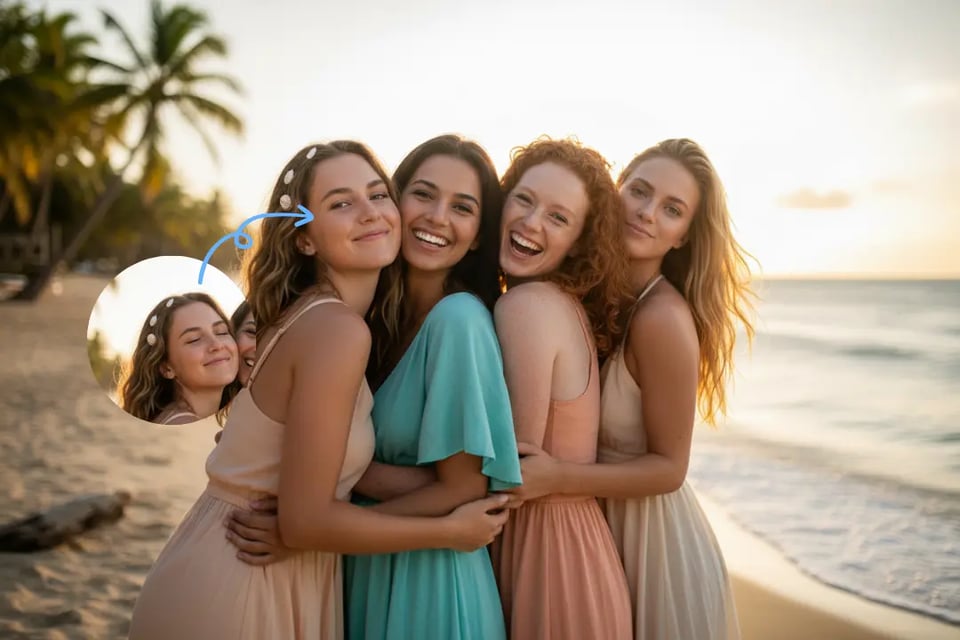
Fix Closed Eyes in Group Photos with Ease for Family and Event Moments
A single blink can spoil an otherwise perfect group shot. Bylo.ai intelligently restores open eyes for one or multiple people in the same image, helping you preserve joyful moments from family gatherings, school events, celebrations, and more without retaking the photo.
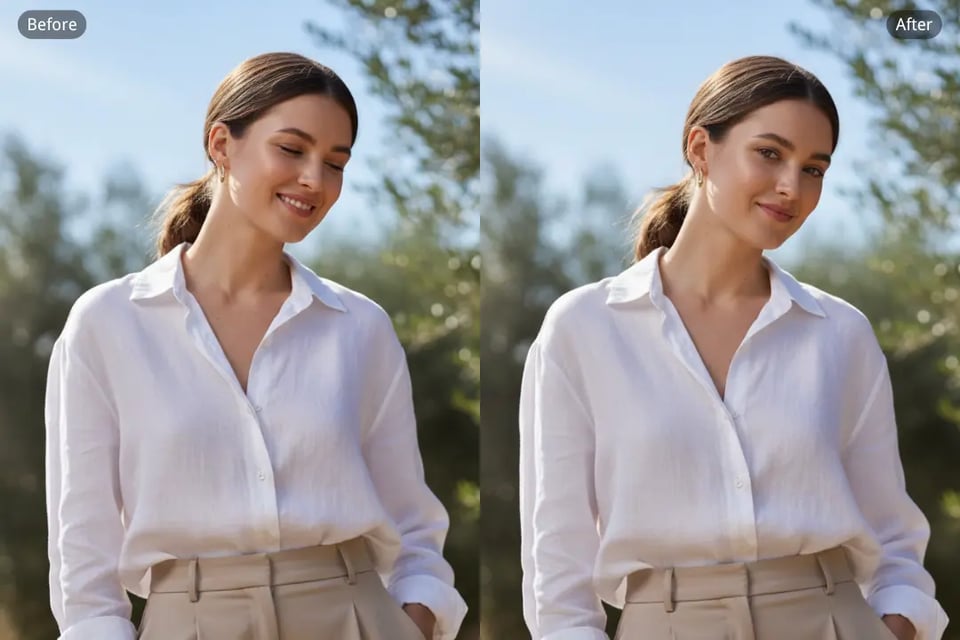
Correct Blinking or Squinting Eyes in Photo for Clear, Bright Expressions
Whether caused by sunlight, movement, or a mistimed shutter, blinking and squinting can affect the overall expression. Bylo.ai refines eyelid shape, restores a bright natural gaze, and maintains the subject’s identity, giving portraits a lively and balanced appearance in seconds.
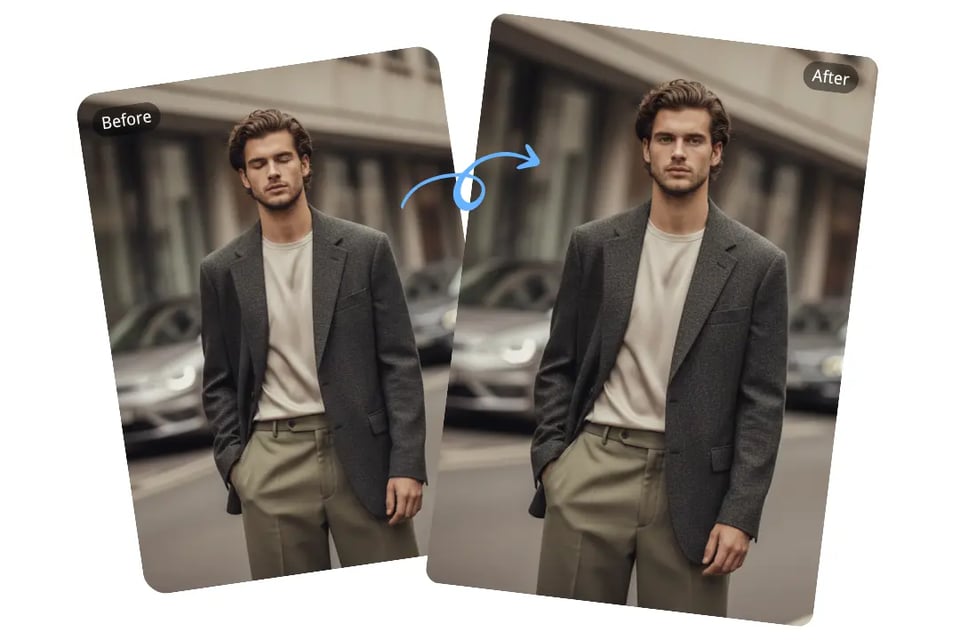
Open Eyes in Portrait Photos Naturally with Realistic AI Reconstruction
No artificial or mismatched results. Bylo.ai reconstructs open eyes that align with the original lighting, emotion, and skin detail of the photo. The restored eyes blend seamlessly into the image, ensuring the final result feels authentic and true to life.
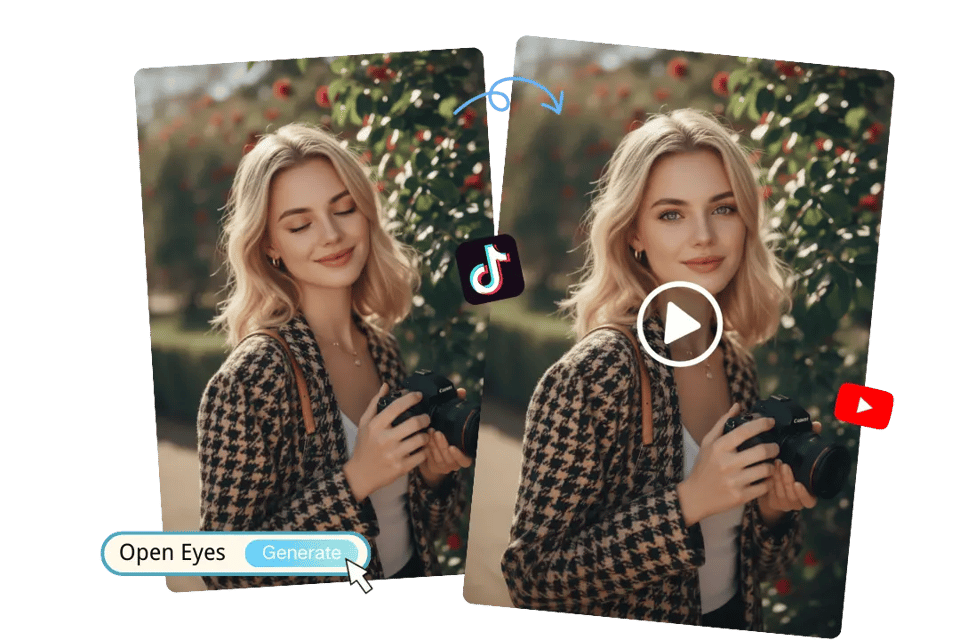
Convert Closed Eyes to Open Eyes in Motion for Cinematic Short Clips
Bring your photos to life with gentle, expressive eye-opening animation. Bylo.ai can turn a still image into a short cinematic moment where the eyes naturally open—smooth, soft, and emotionally engaging. With enhanced motion rendering inspired by modern video models such as Google Veo 3.1 , the result feels fluid and visually polished, making it perfect for TikTok, Instagram Reels, YouTube Shorts, and more.
How to Open Eyes in Photo Free Online with Bylo AI
Follow these simple steps to get started with our platform.
Step 1 : Upload Your Photo
Choose any image with closed, blinking, or squinting eyes—whether it’s a selfie, a group shot, or an old photo. Upload it to Bylo.ai, and the tool will automatically detect the face and prepare it for enhancement.
Step 2 : Let the AI Restore Natural Open Eyes
Bylo.ai analyzes eyelid shape, lighting, and facial identity to open the eyes naturally. The result keeps the person’s real features and expression intact while removing the blinking or closed-eye appearance—all done automatically in just seconds.
Step 3 : Preview and Download Your Enhanced Photo
Review the restored image and download the improved version instantly. Your photo will now feature bright, open, expressive eyes that blend seamlessly into the original scene.
Perfect Moments to Use Open Eyes in Photo
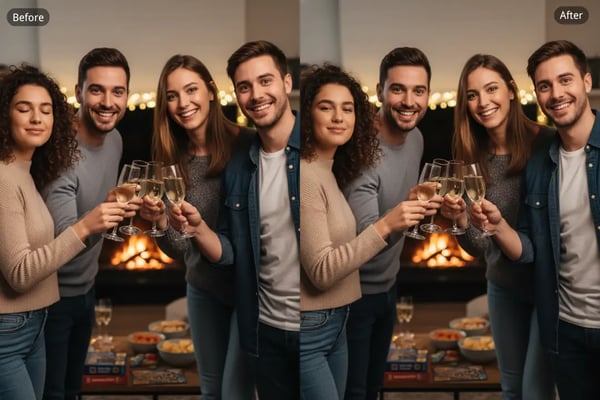
Family & Group Photos with Naturally Open Eyes
Sometimes the perfect family moment is disrupted by a single blink. Bylo.ai helps open eyes in photo so everyone appears present and lively, keeping the warmth of the moment exactly as you remember it.
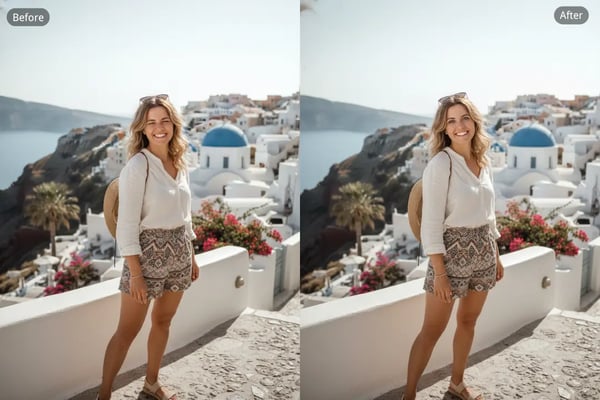
Travel & Outdoor Photos with Open Eyes Restored
Bright sunlight or a quick movement can easily lead to squinting. Bylo.ai gently opens eyes in travel photos, bringing back the clarity and expression that make your outdoor memories stand out.
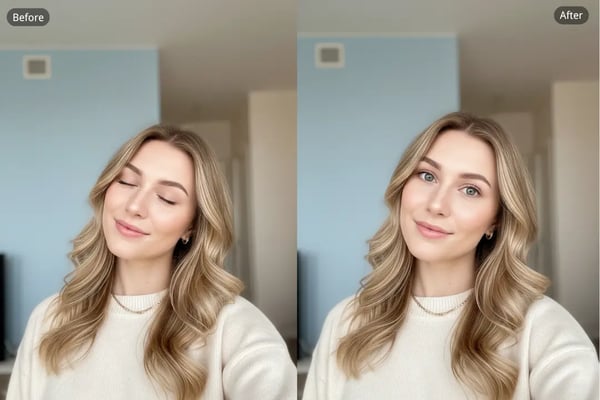
Selfies & Profile Pictures Enhanced with Open Eyes
A blink can soften the energy of a great selfie. Bylo.ai can open eyes in portrait photos naturally, helping your expression feel bright, relaxed, and camera-ready for profile pictures or social posts.
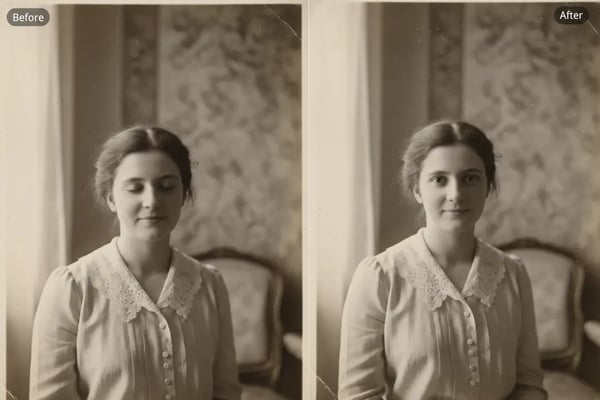
Old Photo Restoration Featuring Natural Open Eyes
Older images often captured moments quickly, resulting in closed or partially closed eyes. Bylo.ai opens eyes in old photos while keeping the original charm, giving treasured memories a refreshed look
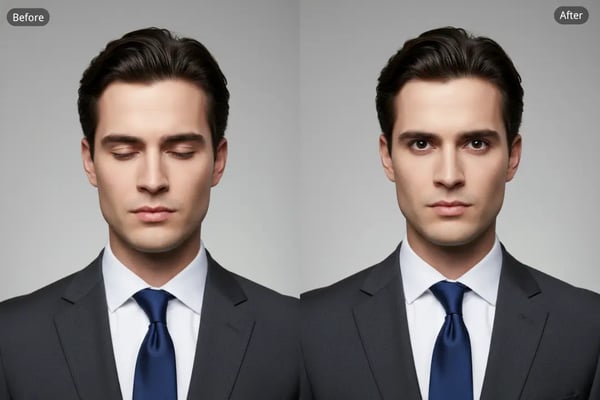
Professional Headshots with Clear, Open Eyes
A confident, open-eyed look can make a big difference. Bylo.ai helps open eyes in photo for business portraits, giving your headshot a polished and approachable presence.
Real Reactions from People Who Use Bylo.ai to Fix Closed Eyes
See what our users have to say about our product
I had so many great travel shots ruined by squinting in the sun. Bylo.ai opened my eyes naturally without changing the vibe of the photo. It honestly saved some of my favorite memories.
Sofia M.
Travel Blogger
Clients blink all the time during group sessions. Bylo.ai fixes those moments instantly, and the results look real enough that no one notices any edits.
Daniel K.
Portrait Photographer
Family photos with kids are impossible. Someone always blinks. This tool helped open my son’s eyes in a picture we really loved. So grateful to keep that moment.
Emily R.
New Mom
For my profile pictures, even one blink can mess up the whole look. Bylo.ai restored my eyes perfectly—clean, natural, and ready to post.
Marcus L.
Content Creator
I restored old photos of my grandparents, and seeing them with their eyes naturally open was emotional. The tool kept the photo’s vintage feel while making it clearer.
Hana S.
Graphic Designer
My headshot looked tired because I blinked slightly. Bylo.ai fixed the closed eyes without making it look edited. Now my LinkedIn photo feels much more confident.
Jonathan P.
Business Professional